


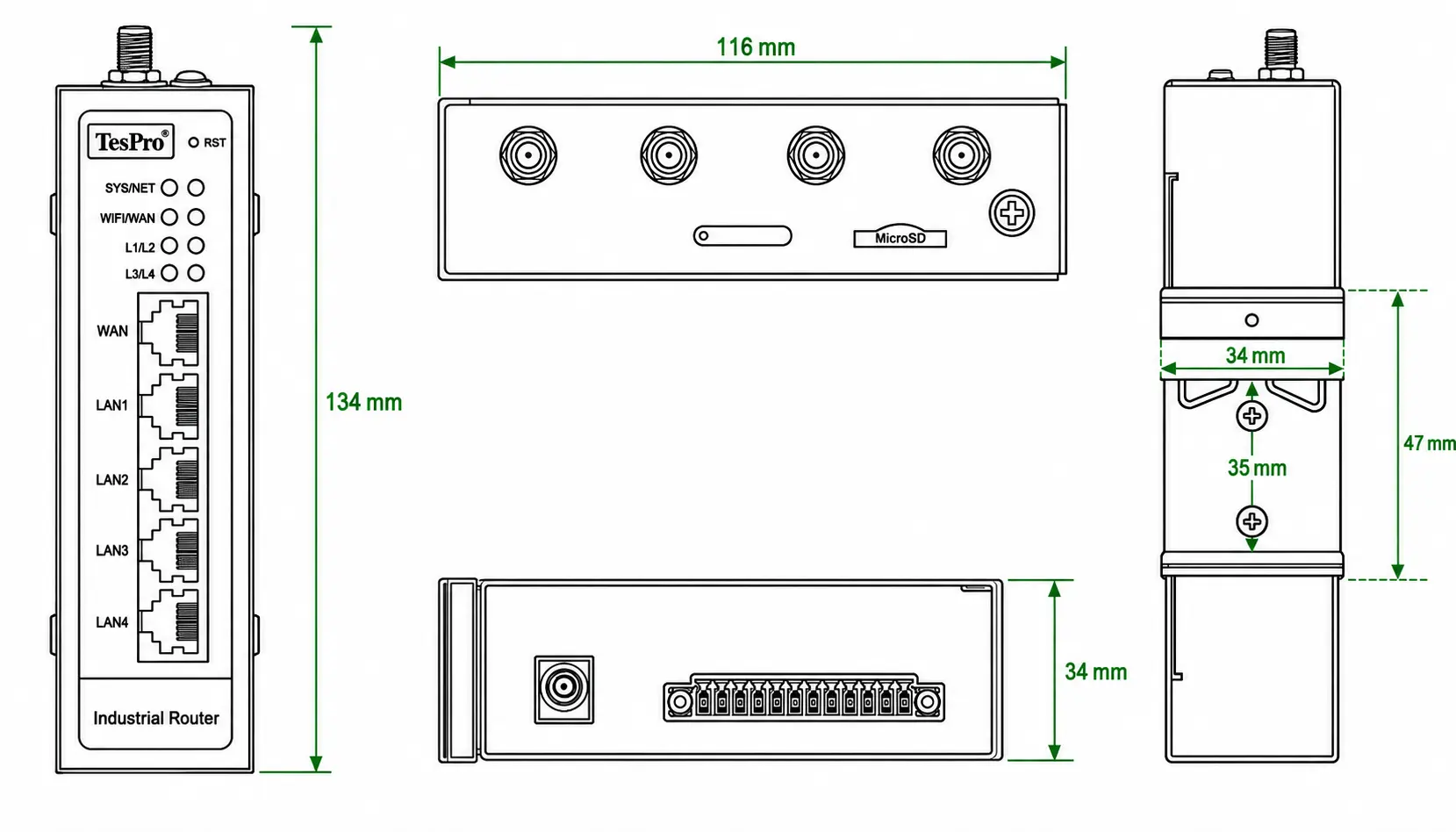

Managing five industrial sites manually may be practical. Managing 100 or 500 sites is not. As a router fleet expands, differences in firmware, APN settings, VPN parameters, firewall rules and LAN addressing create configuration drift and make troubleshooting increasingly dependent on site visits.
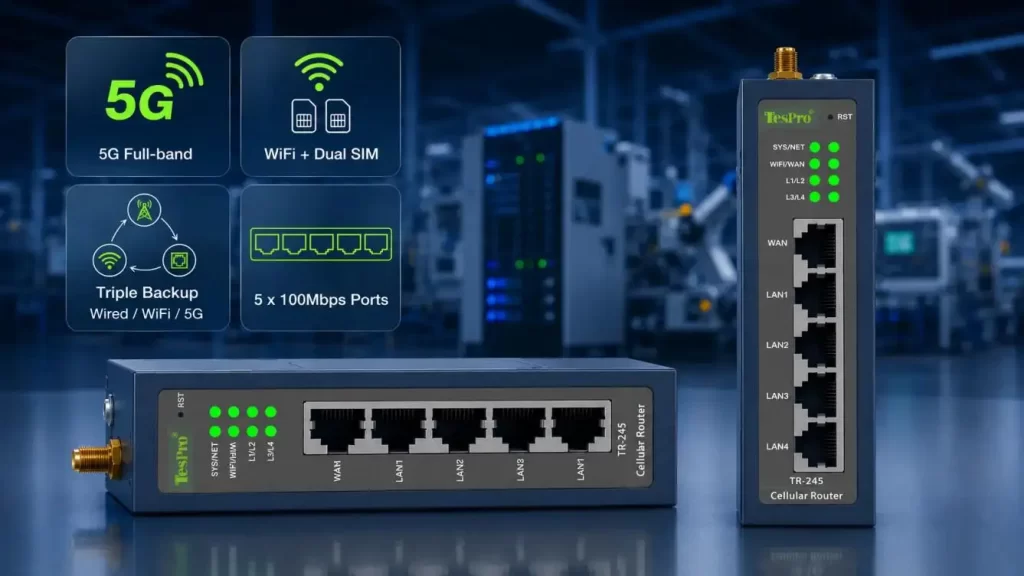
A Cloud-Managed Industrial Router addresses this problem by centralizing router configuration, firmware maintenance, network monitoring, logs and remote diagnostics. However, cloud management is not an isolated router feature. Effective remote maintenance depends on three elements working together:
•Management platform: Device grouping, configuration, firmware and logs
•Network path: Cellular/Ethernet WAN, VPN or cloud tunnel
•Access control: Authentication, permissions and firewall policy
Tespro integrates these layers through its TR-series industrial routers, TesproOS and remote-management architecture, providing a platform for distributed industrial connectivity and maintenance.
Why Multi-Site Router Fleets Become Difficult to Maintain
The main challenge is usually not initial installation but maintaining a consistent operating baseline.
Over time, individual sites may develop different:
•Firmware versions
•Cellular APNs and SIM configurations
•VPN certificates or tunnel settings
•LAN IP ranges
•Firewall and port rules
•Administrator permissions
•Logging configurations
For a large deployment, a Cloud-Managed Industrial Router should therefore support more than remote login. Fleet management should allow engineers to identify device groups, compare configuration states and apply controlled changes without reconfiguring every router individually.
Separate Global and Site-Specific Parameters
Not every parameter should be pushed to every router.
| Global Configuration | Site-Specific Configuration |
| Firewall policy | LAN IP address |
| Logging rules | APN |
| VPN policy | SIM/operator parameters |
| Security settings | Site/device name |
| Standard service settings | PLC/HMI addresses |
This separation reduces configuration drift while avoiding accidental IP conflicts.
Remote Maintenance Without a Public IP
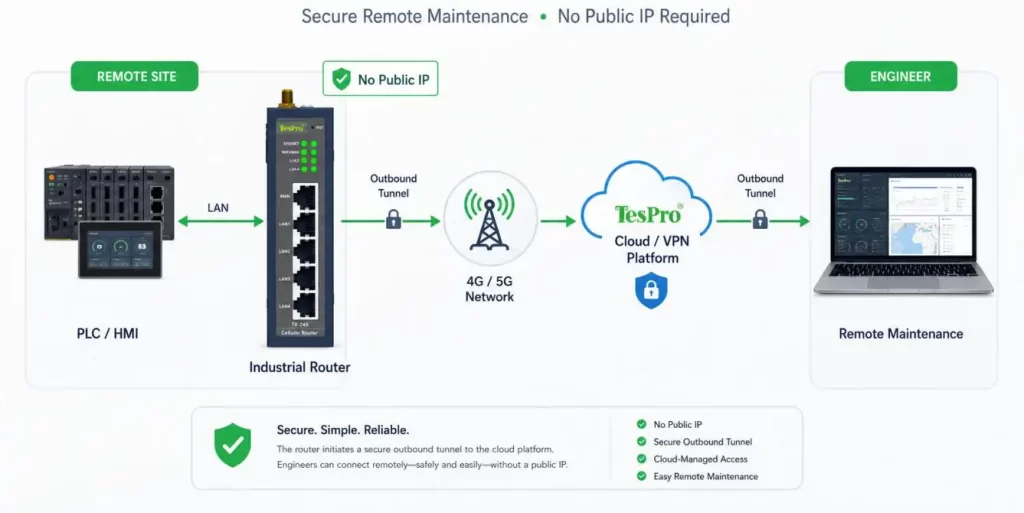
A common problem with 4G/5G industrial deployments is that the SIM may receive a private address behind carrier-grade NAT. In this situation, directly connecting to the router through a public IPv4 address and port forwarding may not be possible.
A Cloud-Managed Industrial Router can address this through an outbound connection model:
PLC/HMI → Industrial Router → Cellular Network → VPN/Cloud Platform → Authorized Engineer
Because the router initiates the connection toward the management or VPN infrastructure, the field site does not necessarily require a public static IP.
However, two capabilities must be distinguished:
•Router management: Changing router settings, checking status or collecting logs
•Downstream device access: Reaching PLCs, HMIs, IPCs, cameras or other LAN devices
Cloud access to the router does not automatically guarantee access to its LAN devices. Remote PLC maintenance still depends on routing, NAT, VPN topology, firewall rules and user authorization.
Public IP, VPN or Cloud-Assisted Access?
The right architecture depends on deployment scale and security requirements.
| Architecture | Public IP Needed | Scalability | Main Engineering Concern |
| Public IP + Port Forwarding | Usually | Low | Exposure and ISP dependency |
| Central VPN Hub | Usually no | Medium–High | Tunnel and routing management |
| Cloud-Assisted Access | Usually no | High | Platform and permission dependency |
| Cloud + VPN Hybrid | Usually no | High | Architecture complexity |
Public-IP access may be sufficient for a few controlled sites. A central VPN gives operators greater routing control. For hundreds of distributed installations, a Cloud-Managed Industrial Router can simplify device onboarding, status monitoring and routine maintenance.
Tespro's TR-series combines industrial cellular connectivity with VPN and remote-management capabilities, allowing the architecture to be selected around the actual OT network rather than relying on cloud access alone.
Resolve Repeated Subnets Before Fleet Deployment
Multi-site industrial networks often reuse the same address range.
For example:
•Site A: 192.168.1.0/24
•Site B: 192.168.1.0/24
•Site C: 192.168.1.0/24
Locally this may work, but centralized remote access can create routing ambiguity.
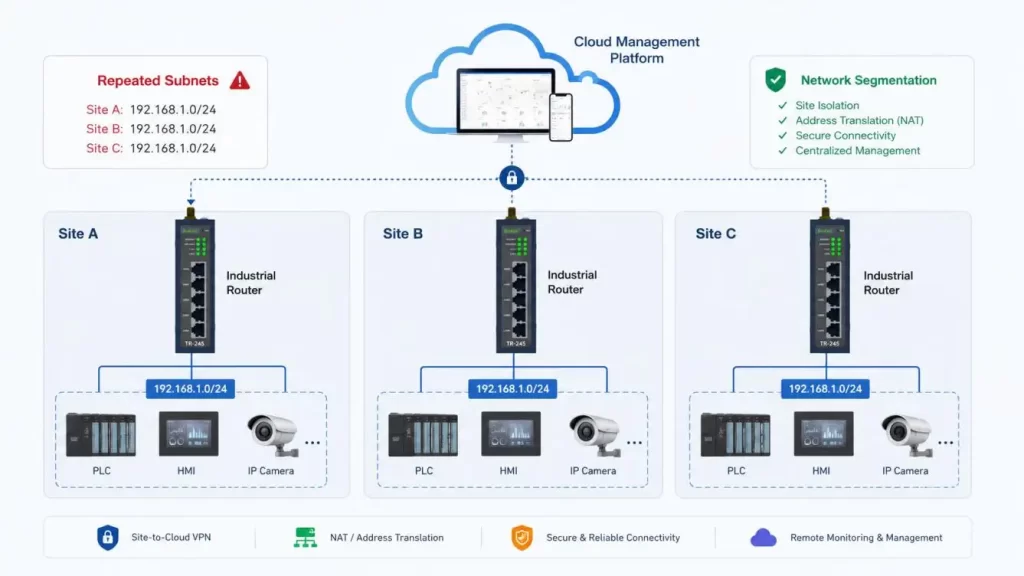
Possible approaches include:
•Assigning unique LAN ranges before deployment;
•Using site-specific NAT;
•Creating isolated VPN tunnels;
•Applying address translation at the central gateway.
This should be solved during system design, not after routers have been deployed across dozens of sites.
Control Firmware Updates Across the Fleet
"Supports OTA" is not enough for large industrial deployments.
A Cloud-Managed Industrial Router should support a controlled firmware process that considers network traffic, device availability and recovery risk.
A practical rollout is:
Lab Validation → Pilot Sites → Small Batch → Full Fleet
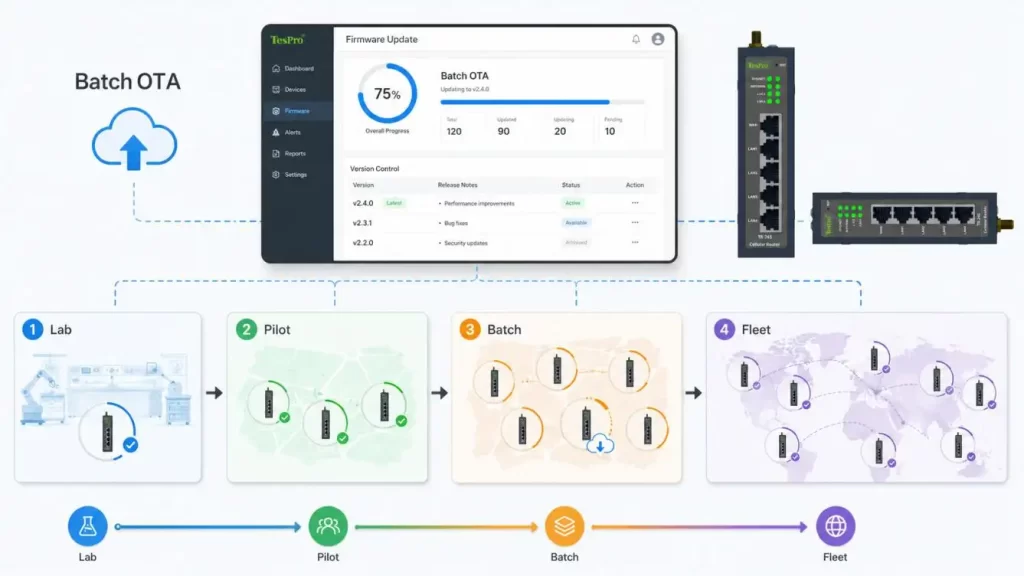
Before deployment, engineers should confirm:
•Target hardware and firmware compatibility;
•Maintenance window;
•Cellular data consumption;
•Power stability during upgrade;
•Upgrade status reporting;
•Recovery or rollback procedure.
Total cellular traffic also matters:
Upgrade Traffic ≈ Firmware Size × Number of Routers
A 100 MB firmware package deployed to 500 routers can generate approximately 50 GB of WAN traffic before retransmissions or failed downloads are considered.
TesproOS and Tespro remote-management functions can support remote configuration and firmware maintenance across TR-series deployments. For procurement, the exact platform capabilities for batch scheduling, version control and rollback should be verified for the intended model and software version.
Monitor the Failure Chain, Not Just Router Online Status
A router showing "online" does not prove that the PLC is reachable.
A useful Cloud-Managed Industrial Router should expose several diagnostic layers:
| Monitoring Layer | What Engineers Can Diagnose |
| RSRP / RSRQ / SINR | Cellular coverage and radio quality |
| SIM / operator status | Registration or carrier problems |
| WAN uptime | Link instability |
| VPN status | Tunnel failure |
| Traffic statistics | Congestion or unusual data use |
| System logs | Reboots and software events |
| Configuration records | Faults after parameter changes |
| LAN reachability | Downstream network problems |
For field troubleshooting, this distinction reduces unnecessary technician dispatches. A failure can be narrowed from cellular → WAN → VPN → LAN → end device before anyone travels to the site.
Design for Cellular and Cloud Failure
Remote management should complement local recovery, not replace it.
Before deploying a Cloud-Managed Industrial Router, verify:
•Local Web or other recovery access;
•Configuration backup and restore;
•Watchdog behavior;
•VPN reconnection;
•Dual-SIM switching;
•Antenna placement and signal margin;
•Power-loss recovery.
Dual SIM should not be described as zero downtime. Recovery includes:
Failure Detection → SIM Switching → Network Registration → VPN Reconnection → Application Recovery
The acceptable recovery time must be tested against the actual application.
Verify Permissions and Security Before Connecting OT Assets
Centralized management fosters efficiency, but means that operational power is concentrated.
When one account is compromised, multiple sites could be affected by that. Therefore, procurement needs to analyze things like:
•Role-based permissions.
•Separation of administrators.
•Presence of authentication and MFA.
•Audit logs and configuration logs.
•Integrity of firmware.
•Firewall and VPN policies.
•Revoking credentials.
•Update lifecycle.
Related industrial cybersecurity standards may include IEC 62443, and EU projects need to check the RED/EN 18031 requirements along with the Cyber Resilience Act. You should only claim compliance or certification when you have specific evidence for that with the product in question.
Selecting a Cloud-Managed Industrial Router for Multi-Site Operations
Before choosing a fleet platform, define:
•Number and location of sites;
•PLC/HMI addressing and repeated subnets;
•4G/5G operators and APNs;
•VPN and remote-access architecture;
•Firmware rollout strategy;
•Required logs and alarms;
•User roles and permissions;
•Failure-recovery expectations.
Tespro's TR series, together with TesproOS and remote-management capabilities, provides a practical foundation for industrial projects requiring cellular connectivity, centralized monitoring, remote configuration and distributed device maintenance.
For a new project, Tespro can help match the Cloud-Managed Industrial Router configuration to the site's WAN architecture, downstream equipment, VPN requirements and maintenance workflow—so cloud management becomes part of a controlled operating system rather than simply another connectivity feature.
FAQs
Q1. What does a Tespro Cloud-Managed Industrial Router do for multi-site maintenance?
With cellular connectivity, VPNs, and remote configuration and management services, Tespro TR-series industrial routers can let engineers configure and manage their distributed sites from a single location, instead of configuring the routers on-site.
Q2. Is it possible for Tespro industrial routers to be maintained remotely without a public IP?
It can be done. Remote maintenance can be performed without a static public IP as long as the router makes an outbound connection in a VPN or a remote management architecture. The connection method and related VPN, remote management, and network configuration should be matched according to the TR model, network operator, and remote management configuration.
Q3. Can Tespro manage PLCs or HMIs behind the industrial router remotely?
Tespro routers can support remote access to network paths that lead to devices but, again, router management and HMI/PLC access are separated functions. Many configurations need to be done correctly for an engineer to be able to reach the devices, including routing and VPN, firewall rules, addressing, and permissions.
Q4. Is there centralized configuration support for multiple industrial routers from Tespro?
Yes. The remote management architecture that Tespro offers centralizes operation and configuration of routers. If a customer is looking to buy a large number of industrial routers, Tespro offers remote management architecture with device grouping, configuration templates, batch configuration, history of configuration, and custom configuration of sites.
Q5. Are remote firmware upgrades possible for Tespro TR-series routers?
Remote firmware upgrades can be supported through Tespro's remote management capabilities. For large fleets of routers, Tespro suggests that the upgrade process be designed in accordance to the needs of the project that includes hardware limitations, maintenance windows, bandwidth constraints, a staged deployment, and recovery.